
Reference

FAQ for Your luckywin Account

We get the same questions every day — about bKash deposits, withdrawal steps, mobile login and account verification. This page covers the real answers, written by the team that handles your account.

bKash & Nagad QueriesAccount Access HelpWithdrawal StepsMobile Login
luckywin FAQ for Your luckywin Account
STILL STUCK

Where to Go If the FAQ Does Not Cover It

Sometimes your question is too specific for a general FAQ page. Here is how to reach a real person who can pull up your account.

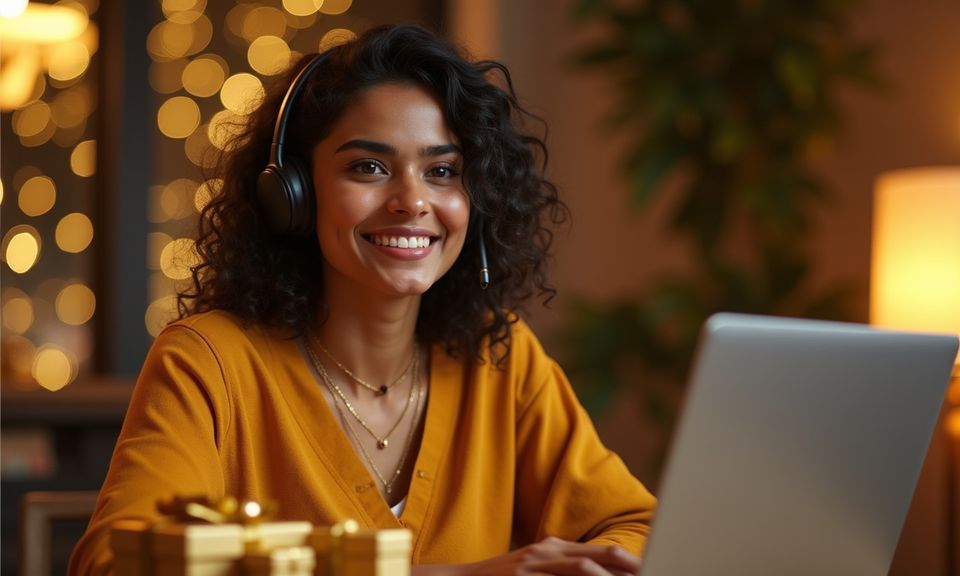
Live Chat Open the chat bubble from any page on mobile or desktop. You will connect with someone who can see your transaction history and account status directly. Response is usually fast — no ticket queue, no bot loop.
Email Support If your question involves screenshots or documents — like a bKash transaction receipt or a selfie mismatch — email lets you attach files. Include your username and the date of the transaction.
Account Settings Self-Service Some answers do not require support at all. Inside your account panel you can update your phone number, change your withdrawal wallet, and view pending verification status.
THREE KEY AREAS

Where Most Questions Come From

These three categories account for most of what people ask us about — deposits, account recovery and game access.

luckywin mobile gaming
bKash and Nagad Payment Questions
Most deposit questions come down to timing. When you send from bKash or Nagad, the transfer usually reflects fast.
Account Login and Recovery
Switched phones? Lost your OTP device? These are the second most common questions we handle.
Withdrawal and Verification Rules
Withdrawals require one round of identity confirmation. We ask for your name as it appears on your mobile wallet and a matching selfie.
WHY TRUST THESE ANSWERS

How We Keep This FAQ Accurate

A stale FAQ is worse than no FAQ. Here is how we make sure what you read here actually matches the current platform.

Written by Operations

Every answer is drafted by the same team that processes your deposits and withdrawals — not a marketing department. They know exactly what bKash confirmation looks like on the backend, and what triggers a hold on a Nagad withdrawal.

Updated When Processes Change

When we adjust verification steps or add a new Rocket payout path, the FAQ updates within the same cycle. We do not leave old instructions live.

Based on Real Support Tickets

We pull the actual phrasing of questions from live chat logs — anonymised, of course. That means the FAQ addresses what you actually ask, not what we assume you might ask.

No Invented Numbers

You will not find made-up statistics or inflated claims in these answers. If we cannot confirm a specific timeframe for a deposit or withdrawal, we say so and point you to support. Accuracy matters more than sounding impressive.

Covers Mobile and Desktop Equally

Most of our visitors come from mobile, but some switch to desktop for certain tasks. Every FAQ answer specifies whether the steps differ between devices.

Region-Aware Answers

Access and features depend on your local law and eligible regions. We do not pretend the platform works identically everywhere. Where a limitation applies, the FAQ states it directly rather than hiding behind vague language or redirecting you elsewhere.

What Defines Your luckywin Experience

These are the elements that shape how you interact with the platform day to day — from your first login to your hundredth session.

Mobile-First Access

The entire lobby loads on your phone browser without a separate app download. Tap, log in, and your wallet is right there. Sessions stay active when you switch between browser tabs, and your progress carries to desktop if you move to a larger screen later in the day.

Cricket and Sports Coverage

IPL, BPL and international cricket matches sit alongside football and kabaddi markets. You will find Football Bet Zone and Live Cricket Bet in the sportsbook section. Categories update with the season, so what is live reflects what Bangladesh is actually watching right now.

Live Tables by Evolution

Baccarat Diamond, Bangladesh Fast Table 508 and other live dealer rooms stream directly to your device. The dealers are real, the cards are physical, and the video quality adjusts to your connection speed automatically. No pre-recorded footage — every round happens in front of you.

Crash and Slot Rooms

Crash Thunder runs on a multiplier that climbs until it stops — you decide when to cash out. Alongside that, slot rooms from Pragmatic Play and PG Soft fill the lobby with varied mechanics. RTP information displays only where the provider exposes it directly on the game screen.

Single Wallet Across Games

Your balance does not split between sportsbook and casino. One wallet funds everything — place a cricket bet, switch to Blackjack PlayZone, then try a slot round, all from the same balance. Deposits via bKash, Nagad or Rocket land in that single wallet immediately.

Session Continuity

Close your browser mid-game and reopen it later — your session picks up where you left off. Unsettled bets, pending withdrawals and chat history all persist. This works across mobile and desktop without requiring a fresh login each time, as long as your session has not expired.

luckywin What This FAQ Covers and Why It Matters

What This FAQ Covers and Why It Matters

Every question below comes from actual messages our support team receives through live chat and email. We grouped them into sections that match what you actually need: how deposits via bKash, Nagad and Rocket work on your account, what happens during withdrawal verification, how to recover access on a new phone, and where to reach us when something feels off. This is

not a generic help centre — each answer reflects how luckywin specifically handles the process. If your device switches from mobile browser to desktop, your session stays active and your wallet balance follows. If you sent a Nagad transfer but your account balance has not updated, the answer below walks you through exactly what to check and when to contact us. We

update these answers when processes change, so what you read here matches the current platform behaviour. Scroll to the topic that fits your situation, or use your browser search to jump straight to a keyword like 'withdrawal' or 'OTP'.

FAQ at a Glance — Key Facts

Before diving into the full question list, here are the structural facts most people look for.

Local payment methods supported (bKash, Nagad, Rocket)
Device access — your session carries across both
Support channels for FAQ follow-ups
All account and payment data in transit

Frequently Asked Questions About Your Account

Below are the questions our support team answers most often. Each response reflects current platform behaviour.

Open your bKash app, select Send Money and enter the account number shown on our deposit page. Confirm with your bKash PIN. The transfer reflects in your luckywin wallet shortly after. Keep the bKash confirmation SMS — you will need the transaction ID if anything needs tracing by our team.

First confirm the amount met the minimum shown on the deposit screen. Then check you sent to the correct Nagad number — a single digit off routes the money elsewhere. If both are correct and your balance still has not updated, open live chat with your Nagad transaction ID and our team can trace it on the backend.

Go to the withdrawal section in your account panel, select Rocket and enter your Rocket wallet number. If this is your first withdrawal, you will need to complete identity verification — a photo of your ID and a selfie. Once verified, future Rocket withdrawals skip that step and process faster.

Yes. Open your mobile browser — Chrome, Firefox or Samsung Internet all work — and go to the site. The lobby loads fully without an app install. You can add it to your home screen for quicker access next time. Your session, wallet and game history stay consistent whether you use mobile or desktop.

Since OTP verification ties to your registered number, losing that number means you cannot reset your password yourself. Contact our support via email with your username, a photo of your ID and a selfie. Once identity is confirmed, the team can update your registered number and restore access to your account.

Holds typically happen for one of three reasons: your identity verification is incomplete, the name on your mobile wallet does not match your account name, or the withdrawal amount triggered an additional security check. Check your account panel for a notification explaining which applies, then follow the steps shown or contact live chat.

Open account settings, go to payment methods, and add your Nagad wallet number. You can then select Nagad as your default payout destination for future withdrawals. Your old bKash wallet stays saved in case you want to switch back. No verification is needed again if your account name matches both wallets.

All data transmitted between your device and our servers uses SSL encryption. Your payment details, personal information and session data travel through an encrypted channel. We do not store full wallet PINs or bKash credentials — only the wallet number you enter for withdrawals. Two-factor login adds another layer if you enable it in settings.

If your connection drops during a live table session — say Baccarat Diamond or Bangladesh Fast Table 508 — the round continues on the server side. Your bet is settled based on the actual outcome. When you reconnect, check your transaction history to see the result. If the balance looks wrong, live chat can pull the session log for that specific round.

Access depends on your local law and eligible regions. We do not make blanket claims about availability everywhere. If the site loads and you can register, your region is currently supported. Features and payment methods may vary. For specific questions about regional access, contact our support team through live chat or email.